

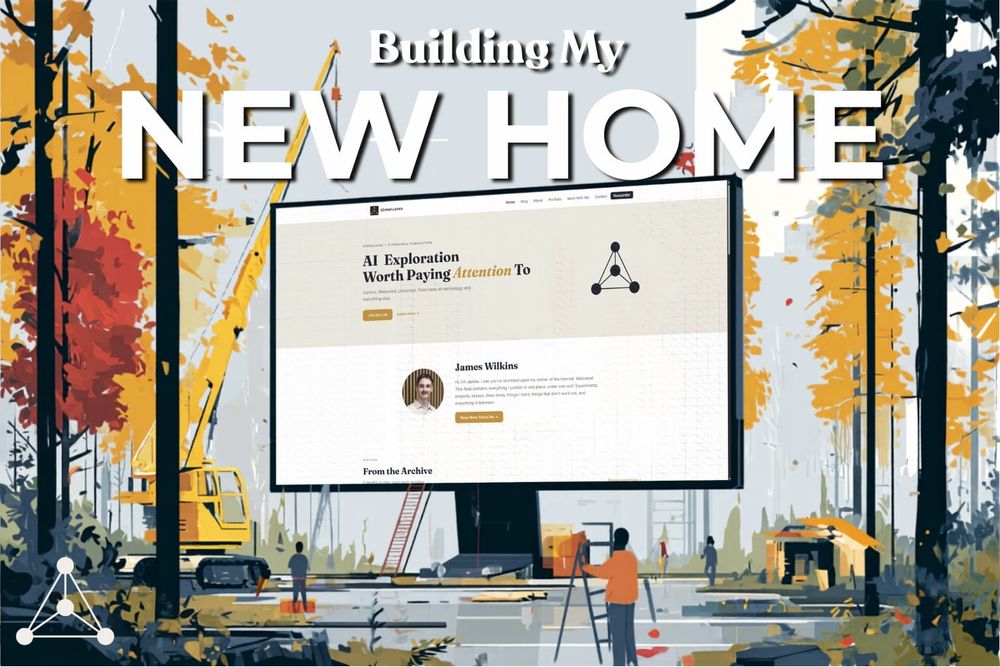
If you've been following my work for a while, you'll know I cross-post all of my stories on Medium and my own personal blog. It's something I started doing almost 2 years ago. I wanted to have a space on the internet that's platform-agnostic, not dependent on any one algorithm, and that can look and feel exactly the way I want it to.
Recently, I've been feeling like it needed an upgrade, so I decided to code it myself... with some help from my good friend, Claude.
I've been coding since I was 11, but I've never really dabbled in web development, so this was a new adventure for me. I also rarely use Claude Code to write code — apart from simple scripts and tools — so I learnt quite a lot from the process.
Before we get into some of my design decisions and takeaways, let me explain a bit about the project.
Let me take you back to September '24
Almost 2 years ago, now, I set myself up with a basic WordPress site. I didn't know a thing about web design—or even how to run a website. I just decided to start and would have to learn on the job. Over the next 16 months, my site underwent a number of face-lifts and redesigns. I don't have copies of every iteration, but to give you a sense of my not-so-great design choices, this was the home page I was running with for a while last year:
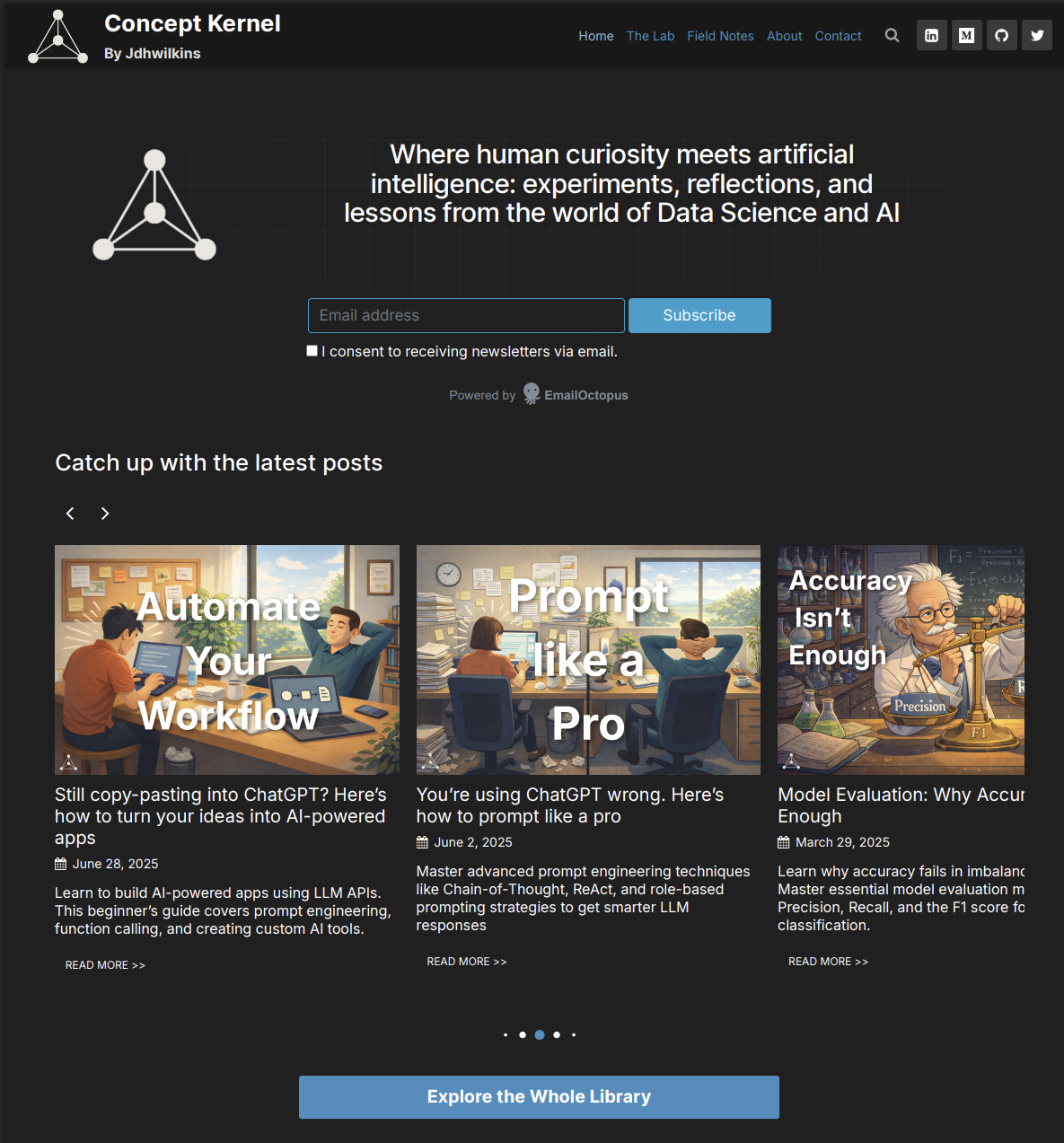
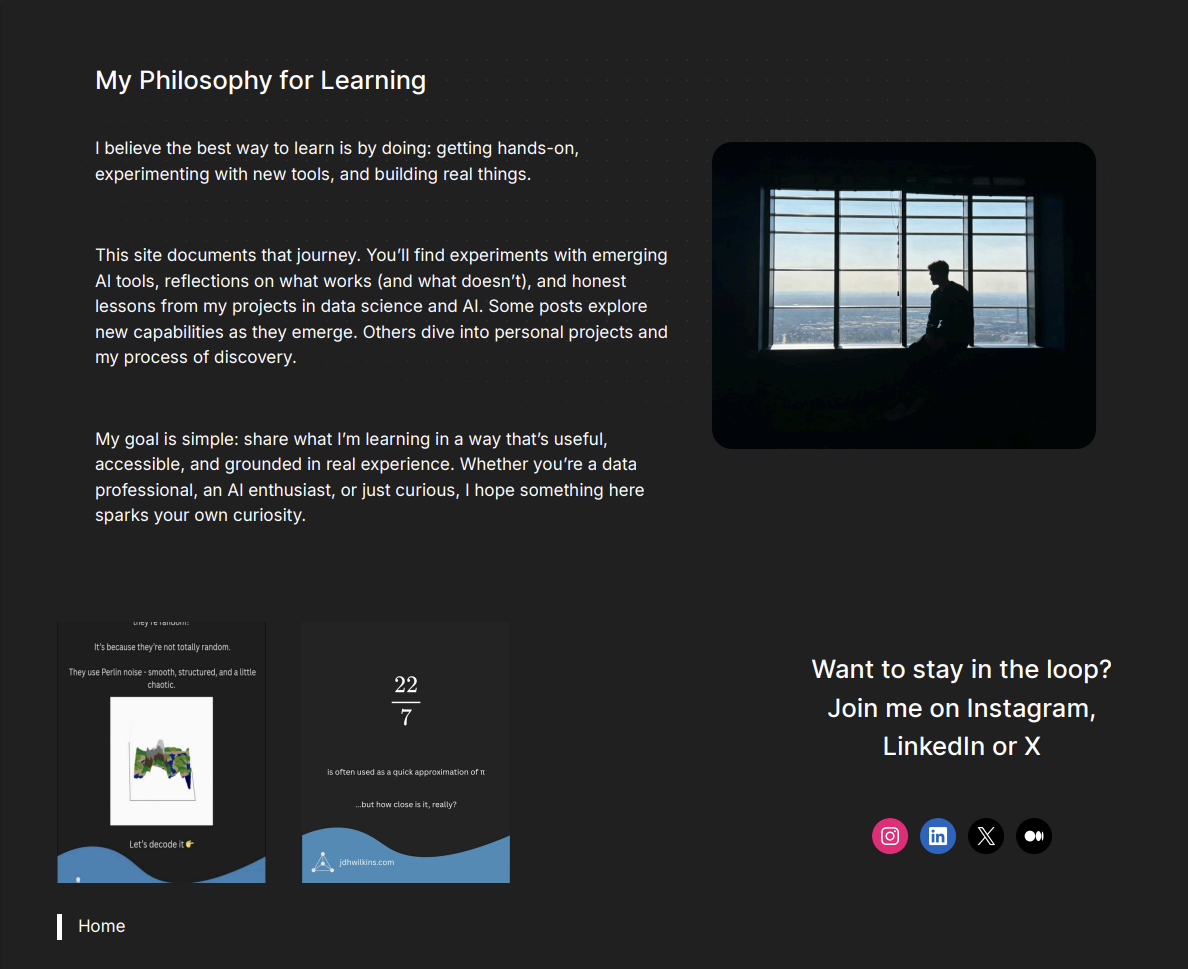
The fonts (!) The lack of clear site identity and hierarchy(!?) The alignment and spacing (!!?)
And this wasn't even the worst design. Believe it or not, this is the product of almost a year of experience. I was clearly still figuring out my branding and trying to come up with something cohesive and that felt like me.
In January of 2026, I made the switch to Wix. As an all-in-one platform, it handled plugins, security, backups, and was just overall a more seamless experience that took away a lot of the things I didn't want ot have to think about.
But I quickly outgrew that too. My aspirations grew beyond what a drag-and-drop website builder could handle. The style of content I was producing also changed, and the old site didn't really feel like the right place for it anymore.
The Changing Landscape of the Internet
My blog initially started as a portfolio for me to document the projects that I was working on and to provide me with some accountability to keep showing up. In the beginning, this was mostly programming projects: I worked on a chess computer, explored different algorithms from the field of computer science, and wrote about various data visualisation projects.
After a while, I found my footing in writing about AI. I produced guides on tools I was using, wrote tutorials for applying AI to different tasks, and shared research on prompt engineering. It was purely informational content.
But the internet has changed drastically over the past couple of years. Search engines have introduced AI overviews, which now appear in around 30% of searches and decrease click-through rates by around 35% when they do. For some types of queries, AI chatbots are starting to replace search engines entirely. ChatGPT alone now accounts for 23% of informational queries and 64% of generative/creative queries. AI overviews and AI chatbot answers do both supply links to the source they reference, but click-through rates are exceptionally low. 93% of Google's AI-mode queries don't result in a click to the original page in what's known as a zero-click search.
I mean, even anecdotally: who's Googling medical advice anymore? We're all getting our misinformation from ChatGPT instead.
Getting my content summarised in an AI overview or ChatGPT conversation is not my goal. I'm a writer at heart, and I want my work to be read in full. You wouldn't get AI to play you a summary of a song; you can't AI-summarise art.
What I mean to say with all of this is that the content landscape is changing. I don't see a bright future for writing guides on the internet anymore. It's time for me to adapt in order to survive.
AI isn't all bad
The internet is naturally very divided on AI, but believe it or not, it is possible to hold two contrasting views on something at the same time.
AI is very effective at automating routine tasks, aggregating information, and performing decision-making. It can write very effectively. The words it produces are increasingly adept at conveying information, reasoning through a problem, providing a balanced argument, and deciding what action to take. What it lacks is expert judgement and the sort of nuanced perspective that comes with being a human in the world. It may write effectively, but it cannot write beautifully.
While we're on the subject, please, please stop publishing AI generated text on the internet.
The demand for a human perspective is greater than ever. And that's exactly what I'm trying to offer more of.
I'm starting to write about the things I'm working on, the things I'm reading about and everything I'm learning along the way. I'm not pretending to have all the answers; there'll be a lot of open questions and probably some speculation too. Hopefully, it's a way for me to give you a glimpse into the way I think about a problem and provide some inspiration for how you can tackle your own.
The focus is still on the subject matter, but written more through the lens of my own opinion. I'm hoping that this new content direction turns my website into more of a documentary of my own life, work and projects instead of a repository of information as it has been up until this point.
And in that same vein, the subject matter will be expanding too. I want to share everything I produce in one place, in multiple formats in a single feed, and something that allows for my other interests outside of AI, too.
For that, I had to build a new home.
Drumroll, please...
So with that slightly longer-than-planned tangent wrapped up, let's explore some of the changes I've made:
- A refreshed design. Go see it for yourself. It's still early days, so don't be surprised if there are a few bugs or funny-looking elements. Either way, I'm super happy with how it looks.
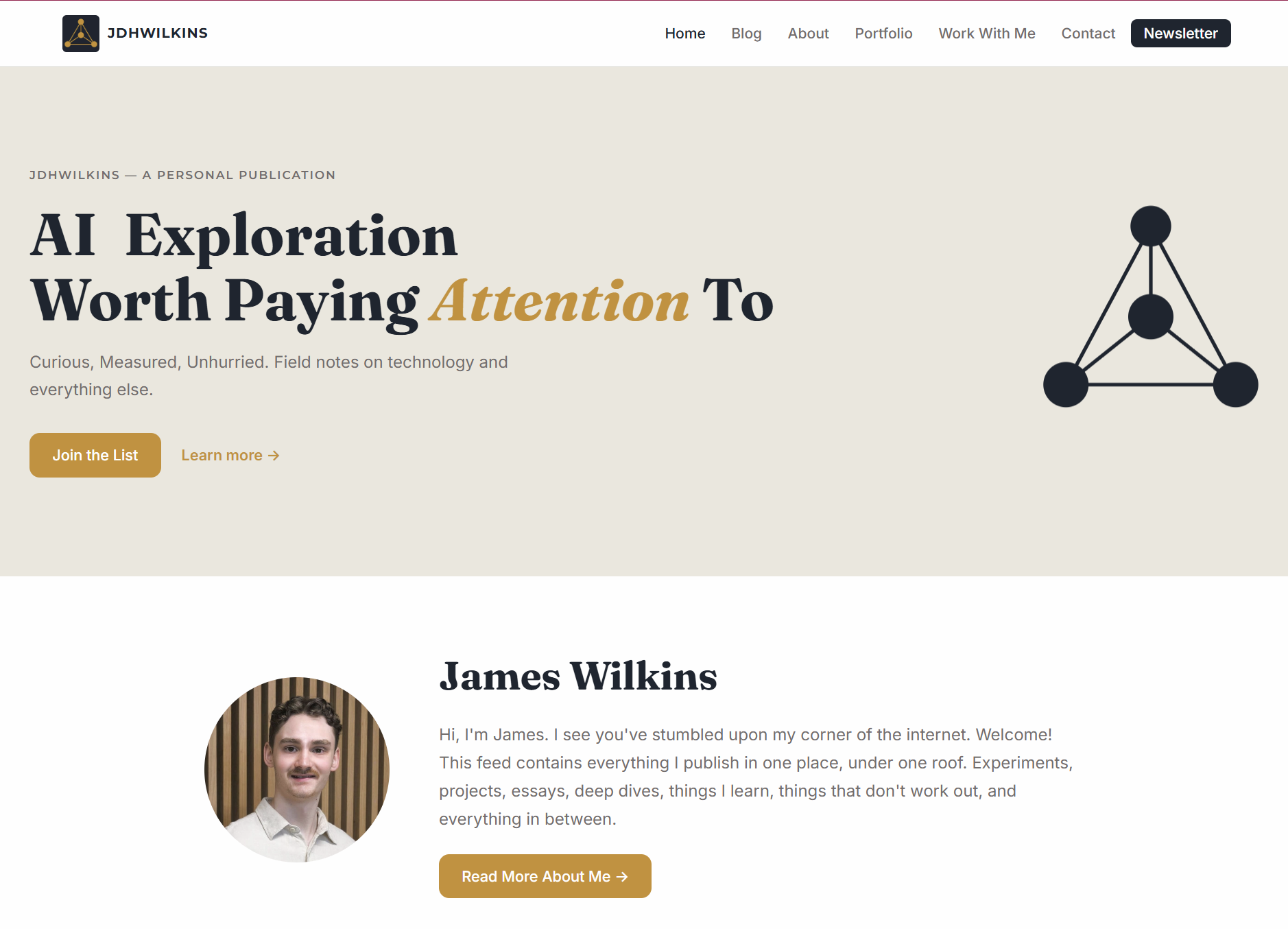
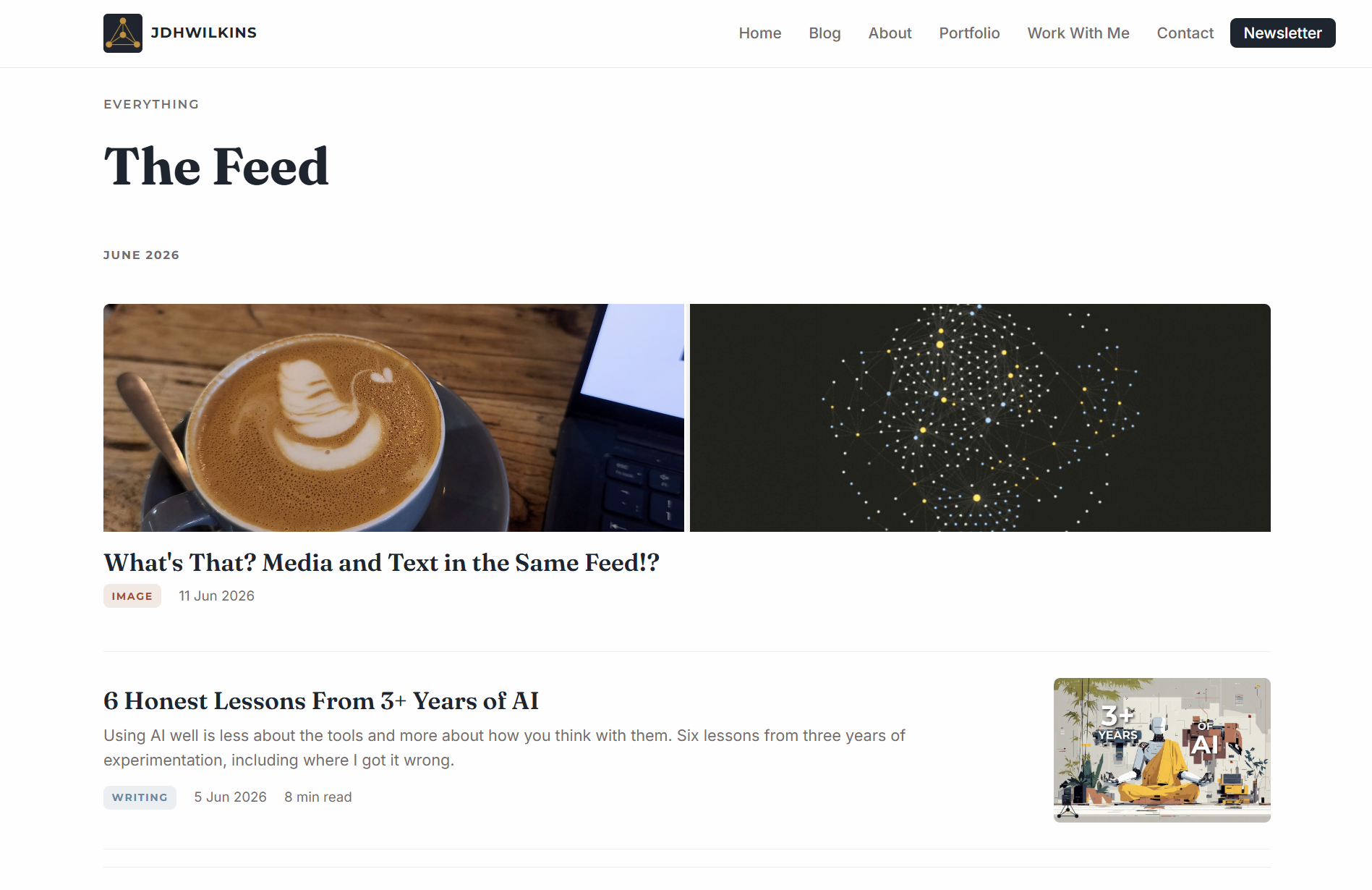
- New discovery features. The feed is where blog posts go to die, so I wanted a way to resurface old content. Perhaps this is more for myself than for anyone else; I love looking back at my old work to see how my perspective and writing have changed.
I've introduced random posts from my catalogue, browsing by post type, 'On This Day' and exploration by year. - Multiple formats in a single feed. I wanted a way to share media galleries, projects, short Twitter-style posts, and essays all in one place—so that's exactly what I built. And yes — it works with videos too.
Since I coded this site myself, I also have the flexibility to completely customise each of the pages, add custom elements and interactive features in a way that website builders don't really allow for. I have plenty of ideas in the works, and now, the platform to build them on.
Let's get into it
I'm deliberately not going to go too deep into the technical details because a) I don't want to put people off, and b) it really doesn't matter.
This is the sort of project you should absolutely have a go at yourself. With AI holding your hand through the process, you might be surprised at how easy it is to build something cool. However, I'd warn you against making anything public unless you've first spoken to another human who knows more than you do about it.
One of the biggest things I've learnt from my experience with AI is that it's probably best not to trust it to do something that you don't know how to do yourself—at least when there's something at stake.
Having never experimented with web development before, I don't know enough about how to handle security, database management and all of the other technical things that come along with deployment. Therefore, for this project, I outsourced all of that, allowing me to focus entirely on the front-end and design without having to worry about messing up anything serious. Pretty much everything that could go wrong can be checked via inspection. You can just look at the site and see if it's working. If you were trying to properly handle user data or setup analytics, it's not so simple.
Let's start with the easy stuff.
Designing the pages was a breeze.
I didn't even use Claude Design for this; as good as it is for iterating on a design, I found, when I experimented with it in the past, that it just burns through tokens. Maybe they've changed it since, but regular ol' Claude Code worked perfectly fine for this project.
I started out, as you often should, in plan mode. I gave it:
- Screenshots of my colour palette and described how each should be used,
- A list of fonts and how they should be used,
- The header and footer structure
- My logo set & other assets
- Descriptions of styles for common elements like buttons
- The list of pages I wanted to include
- Links to my socials to embed as needed
- The content and copy for each of the pages
- Some guidance on the frameworks and tools to build with.
This was pretty much everything I needed to get the core design and features built out. Obviously, the design wasn't perfect on the first go—it needed some iterative improvements to get right.
The best approach I found was to give Claude both a screenshot and a text description of each of the changes I wanted. A lot of the time, it proved much easier than trying to describe which element I was talking about and what was wrong with it.
I also found it far more economical to group the changes into batches rather than do them one at a time. I'd work in cycles of:
- Reviewing the current pages and listing changes that needed to be made
- Feeding back to Claude with a list of things to fix
- Rinse and Repeat
I found I was able to get much more out of my usage quota this way, rather than asking for things one at a time. I can't prove this, however—it's just anecdotal evidence.
On the topic of usage quotas, I was able to build the entire site and get things 80% complete with just two 5-hour quotas. If you time it right and start working an hour or two before your limit resets, you can get two full quotas back-to-back with minimal interruption.
After this, I popped back in over the next few days to add some finishing touches with some feedback from other humans.
Exploring and Resurfacing Old Posts
This is where my prior coding knowledge came in handy, but don't let that put you off.
As I discussed in the sections above, I wanted to add some more advanced discovery features to my home page. This involved adding some code to the page to fetch specific posts from the archive.
- On this day
- Random posts
- Explore by year
Had I just asked Claude to implement these features with its original plan, it would have worked just fine. But I've had too many experiences with slow webpage loading speeds in the past to settle for just 'fine'.
This is where having some experience can really make a difference. It's not that Claude didn't know how to do it a different way, but rather that it didn't think to check if a more efficient alternative was possible. Had I left it as it was, the page would have gotten slower and slower as the number of posts in my library grew.
Perhaps with future generations of AI models, this will become less of a problem—I suspect it will, but right now, it takes a human to say "this doesn't quite sound sensible—is there another way?" in order to get things right. I'm sure there are people out there with far more coding experience than I have, who would be able to spot far more issues than I could.
Again, the original approach would have worked, and it's a problem that you probably would have spotted at some point in the future anyway. Don't let perfectionism prevent you from even getting started.
Nice-to-Haves
Again, since this site was entirely custom-built, it gave me the freedom and flexibility to add whatever features I could dream up.
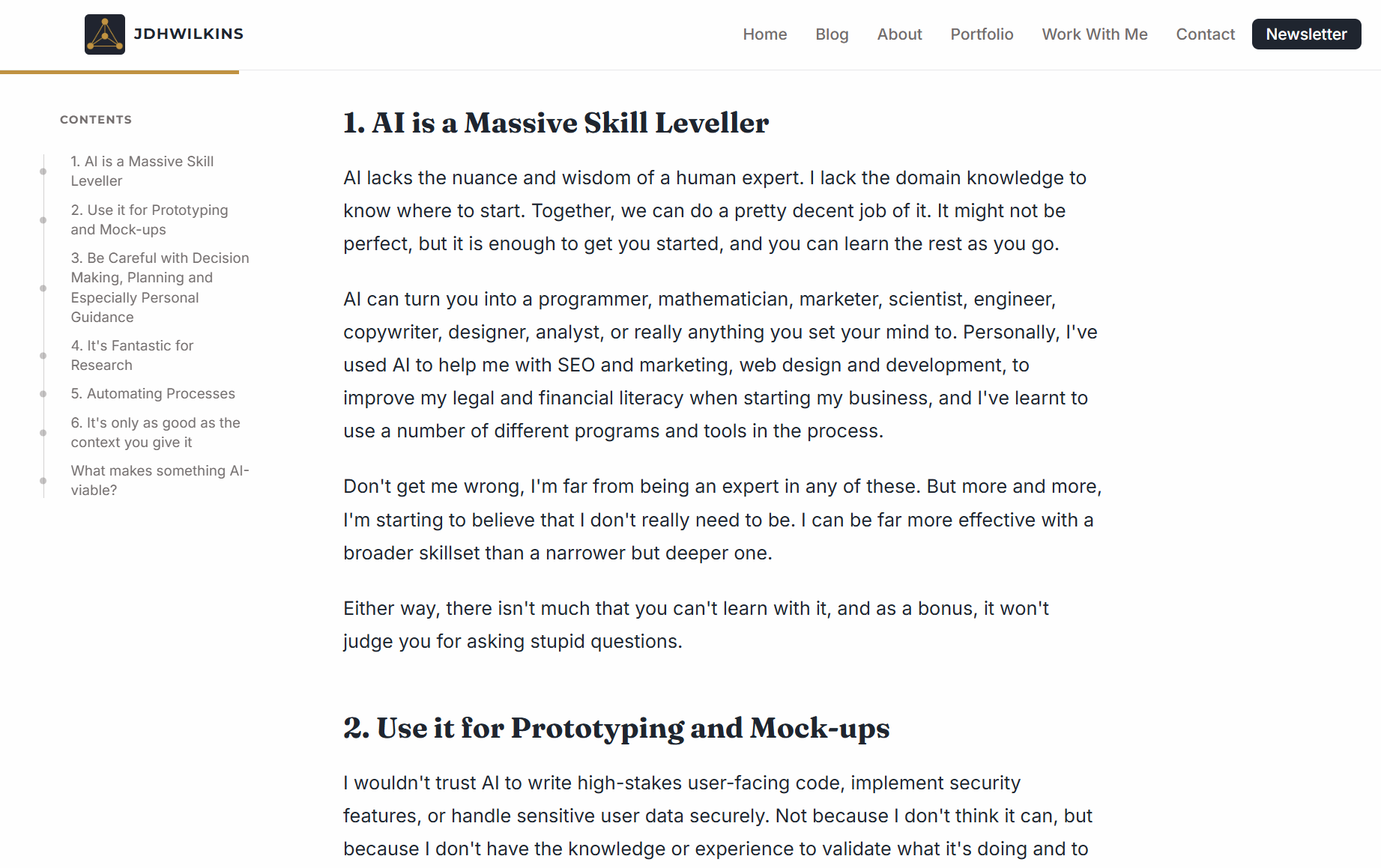
One of the things I've been wanting to add for a while was a clickable contents pane alongside my posts for quick navigation. With Claude, this was easy. I also added custom post types (images, writing, projects, and notes), a progress bar for reading percentage, animations on the home page, and some subtle hover effects for buttons and elements throughout the site.
Just things to give it a slightly more premium feel.
So, What's the Point?
Almost two years ago, when I first set up a website for myself, I just wanted a little piece of the internet to call my own. I sought freedom from being locked into a specific platform or being distributed by a single algorithm.
The internet is increasingly a place where search queries get intercepted before they reach the original content and where AI summarises your work so the reader never gets to find you. It's a place where platforms rent you an audience and reserve the right to take it back. For me, building my own home on the internet is a small, simple act of resistance to all of that — a bet that people still want to find me, even with the increasingly abundant amount of information out there.
Going forward, if you choose to stick around, you'll hear more about the things I'm working on and my thoughts about them. It's going to be less of a tutorial and more of a journal.
If you haven't already, go take a look at my site. And if you want to follow along with what I'm building, the free newsletter is the best place to start.