

What a week it's been in the world of AI! We've seen the chaotic performative art that is Moltbook , the new Kimi 2.5 model from Moonshot AI with its swarm of sub-agents, and Google has continued rolling out a whole suite of AI tools that flew under the radar.
Anyway, I digress.
This weekend, I decided to revisit an old project from a few years ago. Back before the days of Generative AI, I was playing around with the Manim library for Python. If you don't recognise the name, you'll surely recognise the videos it produces. We have Grant Sanderson of 3 Blue 1 Brown to thank for that.
This style of explainer video has become iconic in the online Math Infotainment space. Manim is the Python library that was custom-built to create this style of animation. Grant has his own version, which he maintains himself, but a community-maintained version (the one I'm using for this project) has also been created with much better support and documentation.
I tried playing around with this library a few years ago, but for a short weekend project, it seemed to have a steep learning curve to actually create something cool and interesting. I hadn't really thought about it again until recently: can AI do a better job than I did? Well, almost certainly, yes, but maybe the real question should be, can I create something cool and interesting with only natural language and minimal effort? (What can I say, I'm lazy.)
Let's Get VibeManim-ing
I tested Gemini 3 Flash, GPT 5.2, Claude Sonnet 4.5, and the all-new Kimi 2.5 'instant' model with the same zero-shot minimal-guidance prompt just to see what they could do out of the box.
Surprisingly, they all produced an error-free file on the first attempt (!?). Claude was a bit extra and decided to produce a whole ReadMe file with setup and customisation instructions (did I ask?). They all provided a correct command-line function to actually export the animation, too.
And you know what? They're actually not that bad!
I'll start with the best: Gemini.
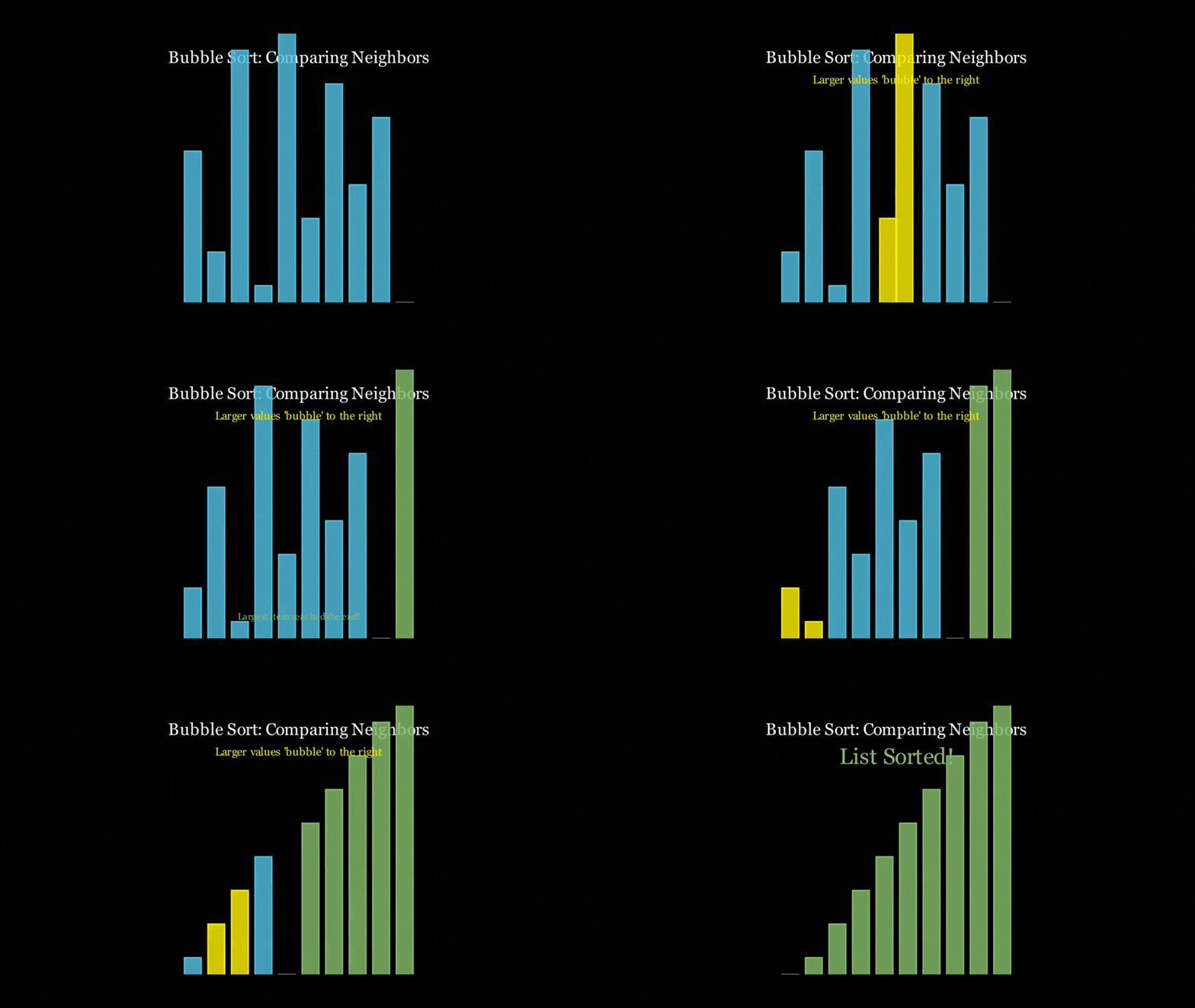
It almost stuck to the time constraint at 21 seconds, illustrated the concept well, added some text to what was going on, and even added some nice colour coding to help explain. Yes, the text isn't the best explanation, and it rushes through the animation a bit, but that's probably on me for setting a short time limit. And all of this from just 66 lines of code - not too shabby!
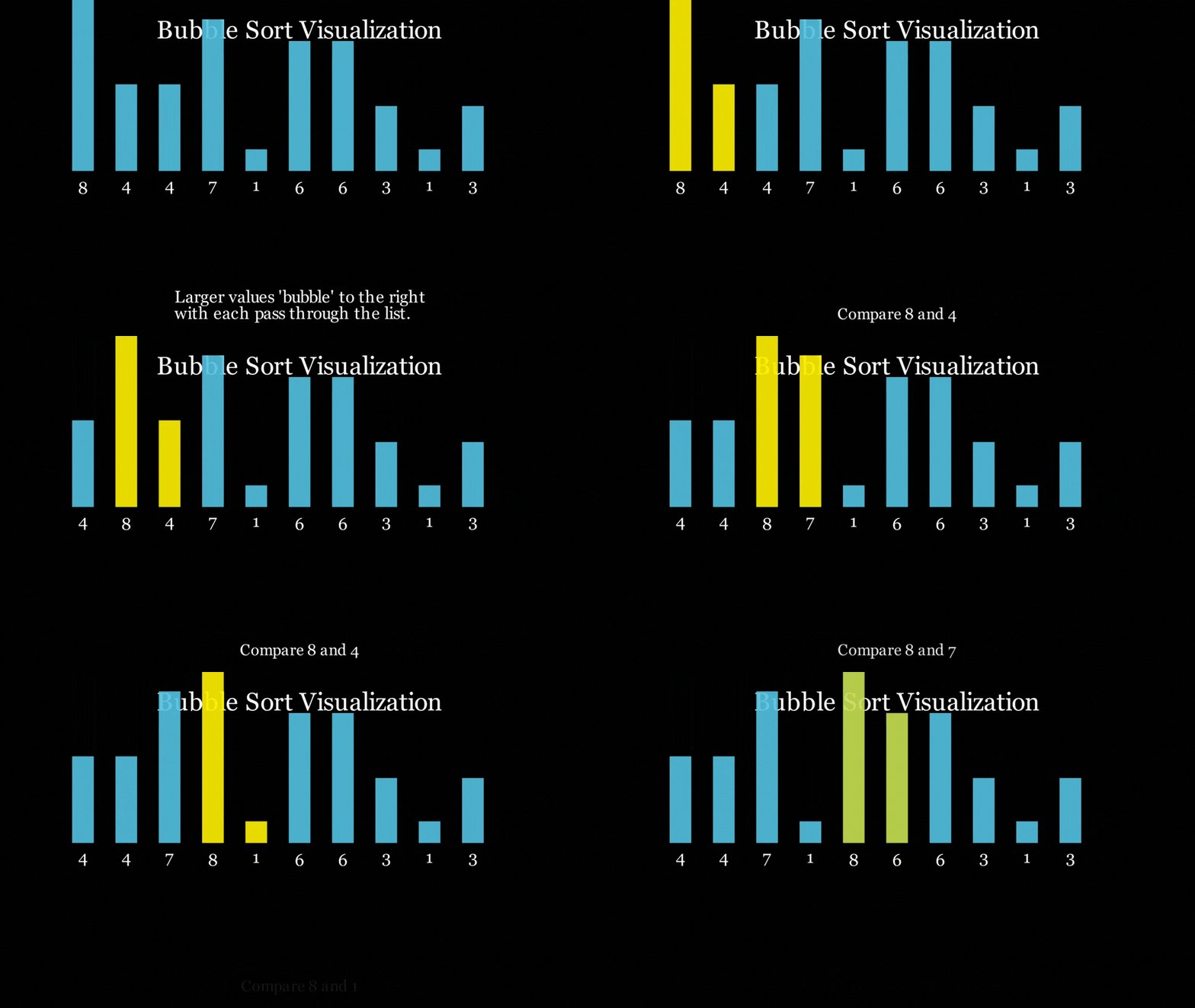
Chat GPT (136 lines of code) did a much better job with the text explanations popping up on screen, but failed miserably at the time constraint, creating a 3-minute-long slog of a video. I'll spare you the pain, but just know that the animations do not speed up at any point in the video.
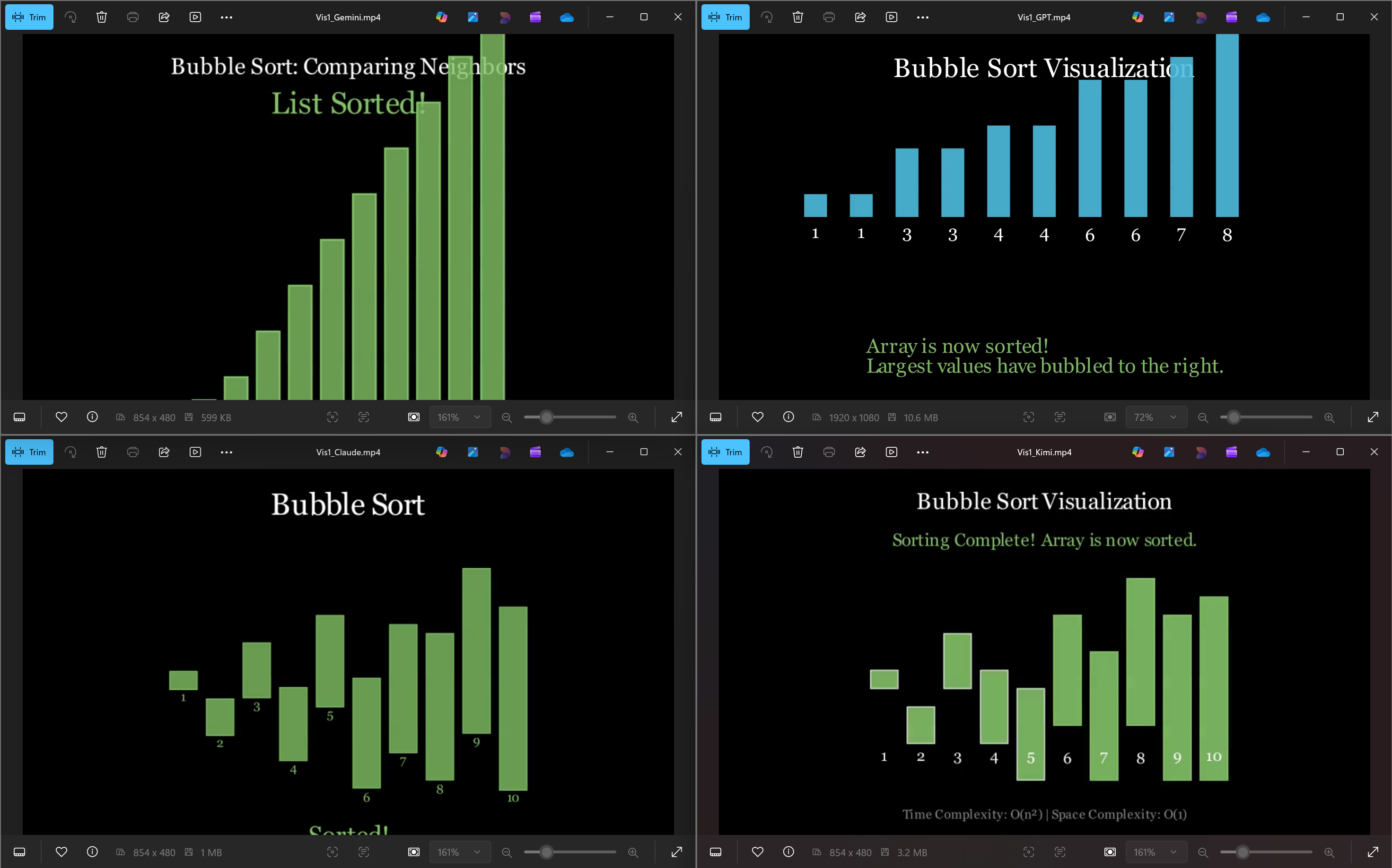
Claude - just made me sad. (108 lines and 51 seconds long)
[media not available]
Kimi 2.5 (the new kid on the block) was by far the most colourful and produced the longest script (196 lines and a 1-minute video), but was just as underwhelming as Claude in its performance.
[media not available]
However, all of the models did follow the Bubble Sort algorithm, and all of them did end up with a sorted list at the end, even if they looked horrific (you know who you are).
This Might Be My New Favourite LLM Benchmark
For my second attempt, I decided to push the limits of both the models and the library. How would it deal with abstract objects that can't be constructed natively within Manim? I decided to go for a 'fancy chessboard construction animation'.
The vague prompt seemed to work okay last time, but this is a fundamentally different kind of challenge. The bubble sort was essentially a 2D problem; bars on a flat plane, moving left and right. A chessboard with pieces, a camera angle, and orbiting motion? That's a spatial reasoning problem. The model needs to understand how 3D objects relate to each other, how a camera perspective changes what's visible, and how to place things in a coordinate system that actually makes visual sense. I gave it a bit more direction on the camera angle and the sequence, but left a lot of the design and animations up to the model.
We ran into some errors this time around. Both Gemini and Kimi threw a library error where the model had assumed some property of an object which turned out not to exist. After a quick check of the actual documentation, they got it fixed and managed to produce a working output.
These renderings took a loooooong time to run. Gemini and ChatGPT's code were running at the same time, which probably didn't help things, but Kimi's output took nearly an hour.
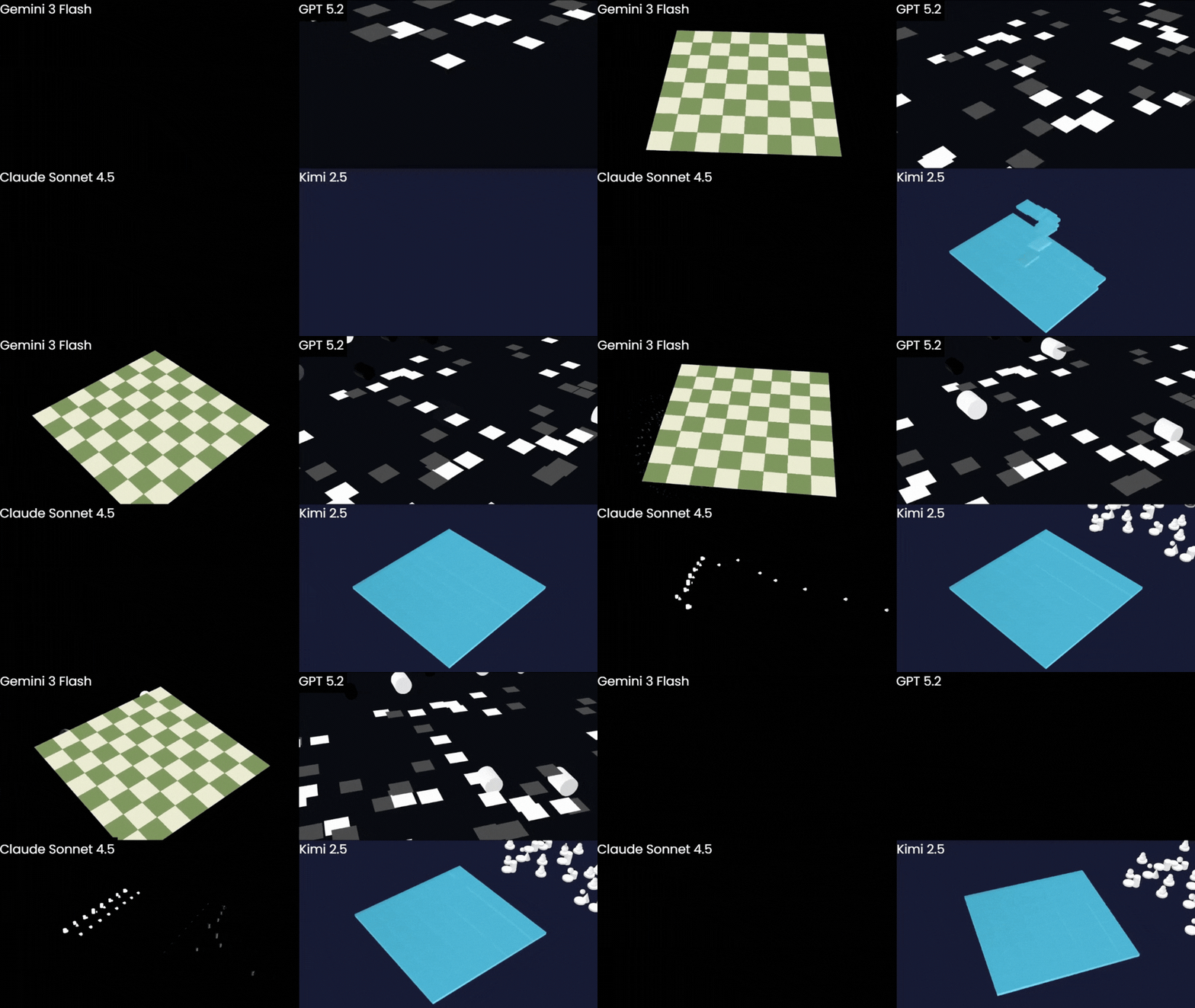
Let's not pretend any of these is remotely what we were after. However, Gemini does still seem to be coming out on top.
We're also going to ignore the fact that Kimi's chessboard is an 8x9 grid (!?). But hey, at least it managed to draw one.
... and yes, Claude's animation is just a blank screen for the first 5 seconds.
The board was correct, had a nice animation, and the Chess.com colour scheme was a nice touch. If you look closely, there is a particle effect animation for the pieces, and you can just about see an outline of the top of one of the pieces at the end, but, obviously, they're not fully appearing. Still, Gemini was the only model that seemed to have any intuition about how objects should be arranged in 3D space. The others couldn't even get the board geometry right, let alone place anything on it convincingly.
And, yet again, Gemini's code was by far the shortest but worked the best overall. Since it was the closest to working, I figured it would be the easiest to try to refine.
Can you fix it? ... No, no it couldn't.
Instead, it wrote some code that took 51 minutes to render. (Bear in mind that I'm only rendering 10 seconds of 480p30 output) and ended up looking like this:

If the world has learnt anything about vibe coding in the past few months, it's that you still won't get far if you don't understand at least a little about the code you're writing. And when the code in question is trying to describe spatial relationships, a little understanding goes a long way.
It was time for some vibelearning.
Manim in a Nutshell
Manim is a state-based declarative animation engine . Unlike the spatial timelines of traditional video editors, Manim uses a procedural timeline where you define the "what" and "where," leaving the interpolation to the renderer.
Core Mechanics
Sprites. All visual elements within the scene are 'Mobjects' (Mathematical Object). It's essentially a wrapper around a NumPy array that defines a point cloud.
Scenes. You build animations within a Scene class. The construct() method acts as the entry point, managing the object lifecycle via self.add() or self.remove().
Animations. These are transitions between two Mobject states. Transitions can be applied instantly or by pre-appending with `.animate` to convert the change into an interpolated animation. (e.g. `.scale()` vs `.animate.scale()`)
Timing and Composition
Instead of dragging clips on a track, you manage time through blocking execution . Each self.play () call advances the global clock. To move beyond simple linear sequences, Manim uses logic-based composition:
Parallelism. Passing multiple animations into one play() call executes them simultaneously.
lag_ratio. Within an AnimationGroup, this parameter defines temporal overlap. A lag_ratio of 0 is perfectly simultaneous, while 1 is strictly sequential.
Implementation Example
All of that is to say, we don't need to worry about how objects change. As long as we can specify a before and after state, Manim should handle the in-between. In this case, we just need to specify what objects we want and what groups of animations should happen at the same time.
Clearly, we aren't going to get anything decent with a minimal prompt (what a surprise, I know) so let's try something a bit more detailed. It's time for a storyboard.
This still doesn't mean I'm going to put effort in; I'm still determined to be as lazy as possible.
Attempt Number 3
Obviously, I wasn't going to write this storyboard myself. I wrapped my previous prompt in a few extra instructions and fed it to ChatGPT:
Since I'm no expert scriptwriter, I left the response format open to see what it would come up with on its own. I did provide a few checks for it to make sure its response was grounded and feasible. After a bit of back and forth, I had a plan that sounded like what I had envisioned for this animation.
I wasn't taking any chances this time around. I know Claude hadn't performed well so far, but I figured Claude Code would surely do a decent job of this, especially now that there was a much more detailed plan in place.
Claude gave me a 496-line file, which sounds thorough, but, as we've seen, it doesn't mean it's going to be any good.
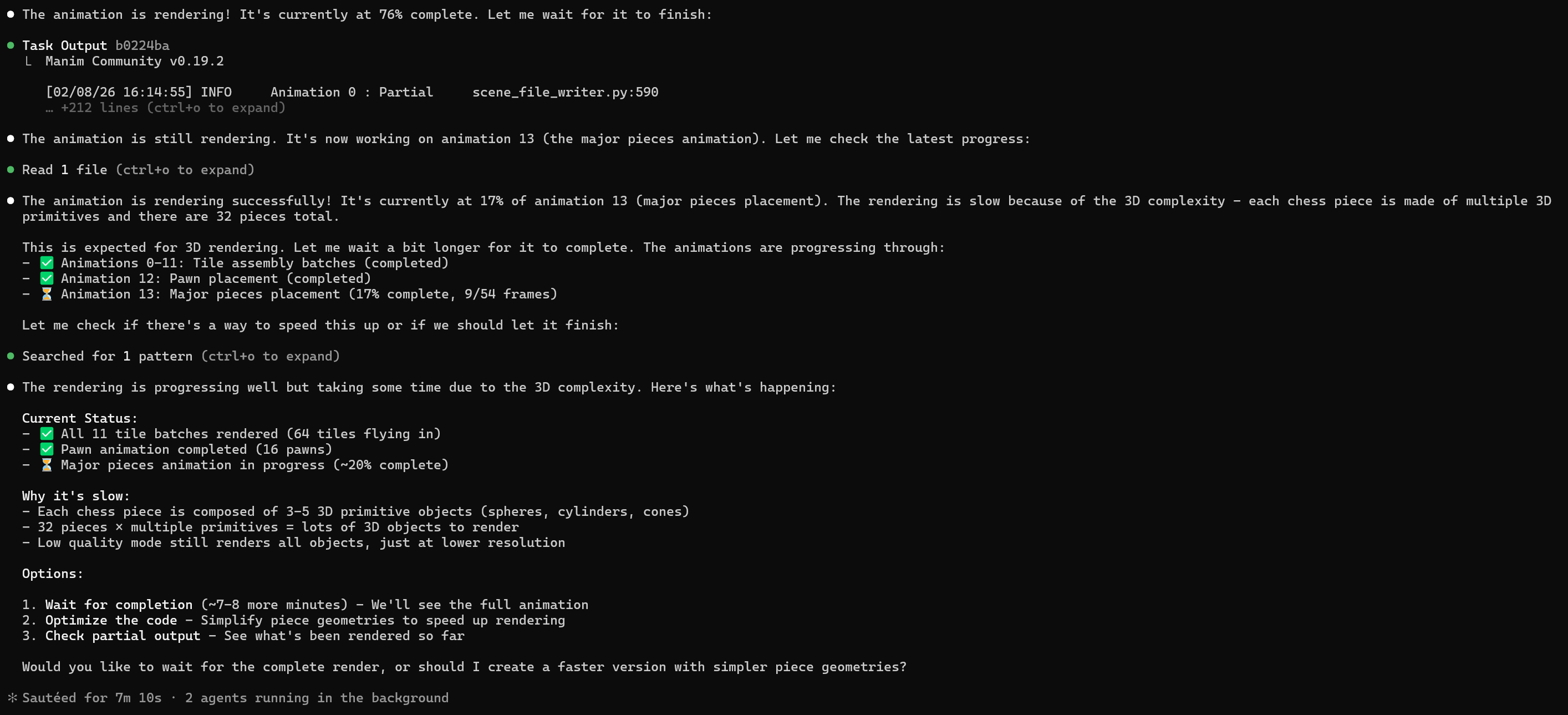
Although maybe getting Claude to render the project, too, wasn't the best idea, it kept panicking that nothing was happening while trying to reassure me that this was normal and all going to plan. (I know the feeling)

... And 20 minutes later, we ended up with this:

I'm not 100% sure why it's given me a portrait video. And yeah, not really much to say here. My disappointment is immeasurable, and my day is ruined.
But I wasn't ready to give up just yet. Given how well Gemini had performed so far, I thought I'd give it another try. I uploaded the same plan doc as before, was met with 4 consecutive library errors, but then finally...

Yes, this wasn't exactly what I was expecting, but it's a remarkable improvement over every other attempt at this problem we've seen so far.
The previous, 'minimal-prompt' code from Gemini appeared to put pieces on the board, but they were no longer visible, and Gemini couldn't work out how to fix that bug. This new one even managed to get the board in the correct orientation (the corner to each player's left should be black), and all the pieces were in the correct position.
3 Takeaways So Far
A lot of this may sound familiar as it's emerging as mainstream vibecoding advice, but it's definitely relevant here too (which is still vibecoding, so no surprise there really).
Verifiability
Any modern LLM can write code using whatever tools you specify. Results will be better if it has a verifiable way to check its work. I think the reason the bubble sort worked so much better was that the bulk of the logic is verifiable; there are thousands of examples of a bubble sort on the internet, and the output is a simple sorted sequence. Asking a model to produce an animation with abstract 3D objects it has no visual reference for is a fundamentally harder problem. If the model can't see, how can it verify that the output looks correct?
The Spatial Reasoning Gap
This has been the recurring theme of the whole experiment. Every model can write syntactically correct Manim code. But writing code that looks right when rendered requires something extra. Successful models have an understanding of how text-based instructions map to a 3D visual scene. Where should the camera be? How big should the pieces be relative to the board? How should objects move to avoid clipping through surfaces?
Gemini consistently outperformed the others on this front, and I suspect it's not a coincidence that it's the model with the deepest multimodal training. When you've been trained to understand the relationship between images and language at a fundamental level, you probably develop a stronger intuition for how code translates into visual output, even code you can't actually render and look at.
This isn't something I can prove from a weekend project, obviously, but the pattern was consistent enough to be worth noting. Every time the task demanded spatial understanding, Gemini pulled ahead.
One-Shot or Bust
Tweaking a script doesn't seem to work. The best approach seems to be creating a detailed plan and having a lot of faith that the model can one-shot the output and get it exactly how you hoped on the first try.
I've seen this with image generation too, where Gemini can create accurate images on the first attempt but starts losing the plot if you ask it to make changes. It feels like these models are better at holistic generation from a clear spec than at surgical edits to an existing output. Which, if you think about it, makes sense for spatial tasks: each edit can cascade through the whole scene in ways that are hard to predict from text alone.
Obviously, this is all anecdotal and far from scientifically rigorous, but I think it's still interesting to observe.
A Final Test
My original goal for this project was to see what I could create with minimal effort. So let's refocus and try to do exactly that:
- Ask Gemini for an idea for a math explainer video.
- Ask Gemini for an outline for said video.
- Convert the plan into a script and generate TTS with Elevenlabs.
- Give Gemini the plan and ask it to write some Python code using Manim to generate an animation.
- Debug the code and export the video file.
... and a little bit of editing magic later, we have our final product.
The idea that it came up with was a video on Zeno's Paradox. If you're not familiar, I won't explain it, and we'll see how well the video does of teaching it.
As the reigning champion, I used Gemini for this final test. I also tried it with Gemini 3 Pro (which I actually hadn't used up until this point).
Let's look at the Flash model's attempt first, because it's actually pretty decent.
[media not available]
Yes, you could obviously get a better result with a more detailed prompt, but my goal was something quick and dirty, so I'd say it did pretty well.
However, I'm not sure we've actually learnt anything about Zeno's paradox so far.
For the grand finale, Gemini 3 Pro's version. There were a few additional cuts and edits from me to make sure the video and sound fit together, but the whole thing took no more than 20 minutes (start to finish).
(I apologise in advance for the thumbnail. I swear I have more integrity than this.)
Similar to the Flash model's attempt, yes, but more refined and better paced.
So, Is "VibeManim-ing" a Viable Workflow?
If you're after a one-click Pixar replacement, you're barking up the wrong tree. Manim is still a picky, highly technical animation engine that will break the moment a model gets overconfident with its class properties.
But what surprised me is that the floor is higher than I expected, and the ceiling is getting there. The Zeno's Paradox video took about 30 minutes from idea to finished product. Is it going to win any awards? No. Would it work as an explainer in a classroom or a quick visual for a blog post? Maybe. For a tool I'd completely shelved a few years ago because the learning curve felt too steep, that's a pretty big improvement in outcome.
The spatial reasoning gap seems to be the bottleneck right now. The models are (mostly) fluent in Manim's syntax; they rarely produce code that doesn't run and can quickly fix what is needed. The problem is that code that runs isn't the same as code that looks right. Until models can reliably bridge the gap between "I've placed an object at coordinates (2, 3, 0)" and "this will be visible and correctly positioned from the camera's perspective," you're always going to need a human in the loop.
So no, I wouldn't bet my YouTube career on a fully AI-generated Manim pipeline just yet (I'll leave that to 3B1B). But for quick explainers, prototyping visual ideas, or just satisfying your curiosity about what a concept looks like in motion? We might be closer than you'd think.
And honestly, for a lazy weekend project, I'll take it.
If you made it this far, thanks for reading!